
7. AI Agent
An autonomous entity that perceives its environment, makes decisions, and takes actions to achieve specific goals with minimal human intervention.
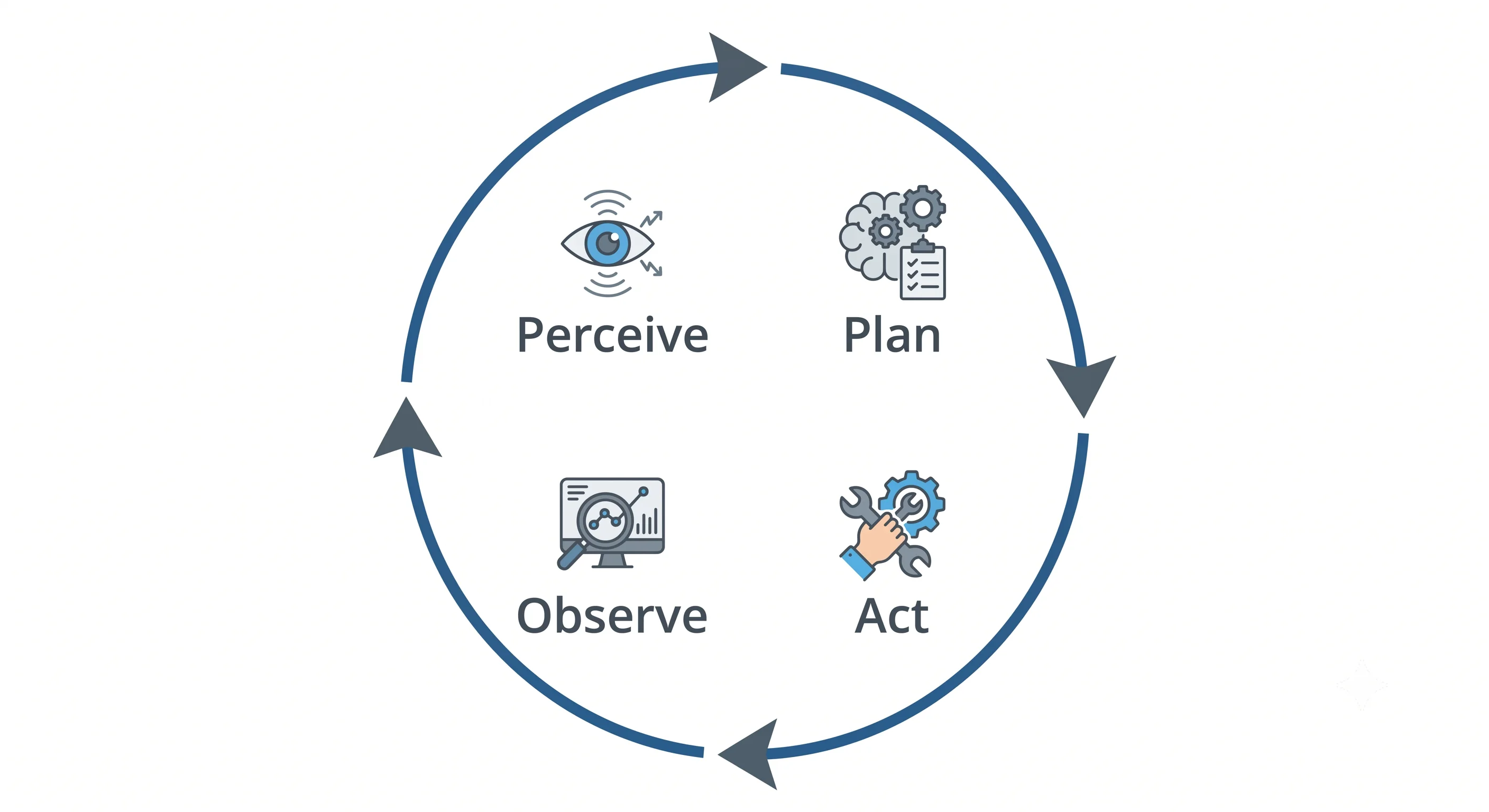
Table of Contents
- What is an AI Agent?
- The Agent Loop
- Agent Architecture
- Types of AI Agents
- Memory Systems
- Tool Use & Planning
- Multi-Agent Systems
- Agent Frameworks
- Code Example
- Key Takeaway
What is an AI Agent?
A standard LLM takes an input, generates a response, and stops. An AI Agent goes further — it operates in a continuous loop, using tools, retaining memory, planning multi-step strategies, and adapting based on feedback until a goal is achieved.
LLM:    Input → [Single response] → Done

Agent:  Goal → [Perceive → Plan → Act → Observe → Repeat] → Done
Think of it as the difference between a calculator (LLM) and an employee (Agent). The agent can plan, use tools, remember context, and handle multi-step problems autonomously.
The Agent Loop
The core of every AI agent is the feedback loop:
┌─────────────────────────────────────────────────────────┐
│                                                         │
│   ┌──────────┐    ┌──────────┐    ┌──────────────────┐  │
│   │          │    │          │    │                  │  │
│   │ PERCEIVE │───►│   PLAN   │───►│  ACT (Use Tools) │  │
│   │          │    │          │    │                  │  │
│   └──────────┘    └──────────┘    └────────┬─────────┘  │
│        ▲                                   │            │
│        │                                   ▼            │
│        │          ┌──────────┐    ┌──────────────────┐  │
│        │          │          │    │                  │  │
│        └──────────│ FEEDBACK │◄───│    OBSERVE       │  │
│                   │          │    │                  │  │
│                   └──────────┘    └──────────────────┘  │
│                                                         │
└─────────────────────────────────────────────────────────┘- Perceive — Observe the environment: user input, tool outputs, memory, sensor data.
- Plan — Use the LLM to reason about the next step or full strategy (ReAct, CoT, ToT).
- Act — Execute an action: call an API, write a file, search the web, run code.
- Observe — Capture the result of the action.
- Feedback — Incorporate the result into memory, update the plan, loop back.
The agent continues looping until the goal is achieved or a stopping condition is met.
Agent Architecture
┌───────────────────────────────────────────────┐
│                   AI AGENT                    │
│                                               │
│  ┌─────────┐   ┌────────────┐  ┌──────────┐  │
│  │   LLM   │◄──┤  Orchestr- │  │  Tools   │  │
│  │ (Brain) │──►│  ator      │──►          │  │
│  └─────────┘   └─────┬──────┘  └──────────┘  │
│                      │                        │
│              ┌───────▼──────┐                 │
│              │    Memory    │                 │
│              │  ┌─────────┐ │                 │
│              │  │ Short   │ │                 │
│              │  │ Term    │ │                 │
│              │  ├─────────┤ │                 │
│              │  │  Long   │ │                 │
│              │  │  Term   │ │                 │
│              │  └─────────┘ │                 │
│              └──────────────┘                 │
└───────────────────────────────────────────────┘| Component | Role |
|---|---|
| LLM (Brain) | Reasoning, planning, decision-making |
| Orchestrator | Controls the agent loop, manages state |
| Memory | Stores context, history, learned facts |
| Tools | Extensions that let the agent interact with the world |
| Guardrails | Safety filters around inputs, outputs, and actions |
Types of AI Agents
By Architecture
| Type | Description | Example |
|---|---|---|
| Simple Reflex | Responds to current input with predefined rules | Spam filter |
| Model-Based | Maintains internal state/model of the world | Self-driving car |
| Goal-Based | Plans actions to reach a specific goal | Trip-planning agent |
| Utility-Based | Maximises expected utility across options | Stock trading bot |
| Learning | Improves from experience and feedback | Recommendation agent |
By Scope
| Type | Description |
|---|---|
| Single Agent | One agent handles the full task end-to-end |
| Multi-Agent | Multiple specialised agents collaborate |
| Hierarchical | Orchestrator agent delegates to sub-agents |
| Peer-to-peer | Agents communicate as equals |
Memory Systems
Memory is what separates agents from stateless LLM calls:
Short-Term Memory (In-Context)
- Lives in the active prompt / context window
- Includes: conversation history, current task state, recent tool results
- Limited by context window size (8K–200K tokens depending on model)
- Lost when the context window resets
Long-Term Memory (External)
- Persisted outside the model in a database
- Retrieved and injected into context when relevant
- Types:
- Episodic — Past conversations and events
- Semantic — Facts, knowledge, user preferences (often in vector DB)
- Procedural — How-to knowledge, workflows, skills
# Simplified long-term memory with vector store
def remember(fact: str):
    vector = embed(fact)
    vector_db.upsert(vector, metadata={"text": fact})

def recall(query: str, top_k: int = 3) -> list[str]:
    query_vector = embed(query)
    results = vector_db.query(query_vector, top_k=top_k)
    return [r["metadata"]["text"] for r in results]
Tool Use & Planning
ReAct (Reasoning + Acting)
The most common agent reasoning pattern:
Question: What is the population of the capital of France?

Thought: I need to find the capital of France, then look up its population.
Action: search("capital of France")
Observation: Paris is the capital of France.

Thought: Now I need the population of Paris.
Action: search("population of Paris 2024")
Observation: The population of Paris is approximately 2.1 million.

Thought: I have the answer.
Answer: The population of Paris, the capital of France, is approximately 2.1 million.
Common Agent Tools
| Tool | Purpose |
|---|---|
web_search |
Live internet search |
code_executor |
Run Python/JS code in a sandbox |
file_reader |
Read documents and files |
database_query |
Execute SQL queries |
api_caller |
Call external REST APIs |
email_sender |
Send emails |
calendar |
Create/read calendar events |
browser_control |
Automate web browser actions |
Multi-Agent Systems
Complex tasks often require specialised agents working together:
User Request: "Research competitors and write a report"

Orchestrator Agent
├── Research Agent        → Searches web, gathers data
├── Analysis Agent        → Analyses and structures findings
├── Writing Agent         → Writes the report
└── Review Agent          → Checks accuracy and quality
Benefits
- Parallelism — Multiple agents work simultaneously
- Specialisation — Each agent is fine-tuned for its role
- Scalability — Add agents without rewriting the whole system
- Fault isolation — One agent failing doesn't crash the whole pipeline
Agent Frameworks
| Framework | Language | Best For |
|---|---|---|
| LangGraph | Python | Stateful, cyclical agent workflows |
| AutoGen | Python | Multi-agent conversations |
| CrewAI | Python | Role-based multi-agent teams |
| LlamaIndex Workflows | Python | RAG-heavy agent pipelines |
| Semantic Kernel | Python / C# | Enterprise, Microsoft ecosystem |
| Agno | Python | Lightweight, multi-modal agents |
Code Example
A simple ReAct agent using LangGraph:
from langchain_openai import ChatOpenAI
from langchain_core.tools import tool
from langchain.agents import create_react_agent, AgentExecutor
from langchain import hub

# Define tools
@tool
def search_web(query: str) -> str:
    """Search the internet for current information."""
    # In production, use Tavily, SerpAPI, etc.
    return f"Search results for '{query}': [simulated results]"

@tool
def calculate(expression: str) -> str:
    """Evaluate a mathematical expression."""
    try:
        return str(eval(expression))
    except Exception as e:
        return f"Error: {e}"

@tool
def get_current_time() -> str:
    """Get the current date and time."""
    from datetime import datetime
    return datetime.now().strftime("%Y-%m-%d %H:%M:%S")

# Create agent
tools = [search_web, calculate, get_current_time]
llm = ChatOpenAI(model="gpt-4o", temperature=0)

# Pull the ReAct prompt template
prompt = hub.pull("hwchase17/react")

agent = create_react_agent(llm, tools, prompt)
agent_executor = AgentExecutor(
    agent=agent,
    tools=tools,
    verbose=True,       # Show reasoning steps
    max_iterations=5    # Safety limit
)

# Run
result = agent_executor.invoke({
    "input": "What time is it now, and what is 15% of 340?"
})
print(result["output"])
Key Takeaway
AI Agents combine perception, reasoning, memory, planning, and tool use to autonomously tackle complex, multi-step goals — adapting from feedback and delivering real value across software engineering, research, customer support, and beyond.