
8. Function Calling
A capability that allows LLMs to decide when to invoke external functions or APIs, pass structured arguments, and incorporate the results into their response — extending models beyond static text generation.
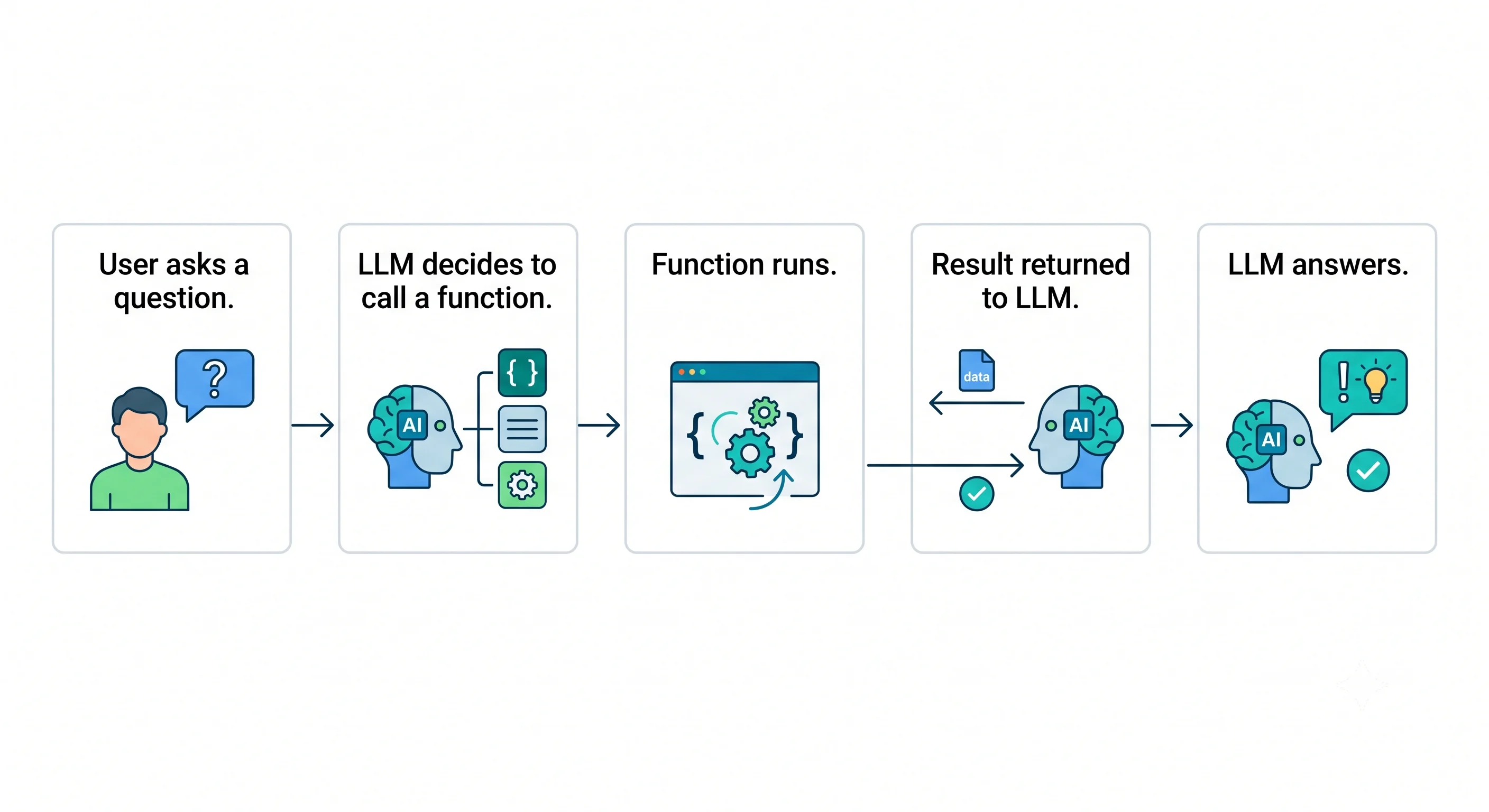
Table of Contents
- What is Function Calling?
- How It Works
- Function Schemas
- Parallel Function Calling
- Structured Output vs. Function Calling
- When to Use Function Calling
- Real-World Use Cases
- Code Example
- Best Practices
- Key Takeaway
What is Function Calling?
Function calling (also called tool use) is a feature of modern LLMs that allows them to:
- Decide — Understand when the user's request requires external data or an action
- Select — Choose the right function from a list of available tools
- Parameterise — Extract structured arguments from the natural language request
- Incorporate — Use the function's output to produce an accurate, grounded response
Without function calling, an LLM can only generate text from its training data. With it, the model can interact with databases, APIs, code executors, and any external system.
Without Function Calling:
  Q: "What's the weather in Tokyo?"
  A: "I don't have access to real-time weather data..." ❌

With Function Calling:
  Q: "What's the weather in Tokyo?"
  → Model calls get_weather(city="Tokyo")
  → API returns: {"temp": 28, "condition": "Sunny"}
  A: "It's currently 28°C and sunny in Tokyo." ✅
How It Works
┌──────────────────────────────────────────────────────────────┐
│  Step 1: Define tools + send to LLM                          │
│                                                              │
│  User: "What's the weather in Chennai?"                      │
│  Tools: [get_weather, send_email, search_web]                │
│                                    │                         │
│                                    ▼                         │
│  Step 2: LLM decides to call a function                      │
│                                                              │
│  LLM Response: {                                             │
│    "tool_calls": [{                                          │
│      "function": "get_weather",                              │
│      "arguments": {"city": "Chennai"}                        │
│    }]                                                        │
│  }                                                           │
│                                    │                         │
│                                    ▼                         │
│  Step 3: Your code executes the function                     │
│                                                              │
│  result = get_weather("Chennai")                             │
│  → {"temp": 32, "condition": "Hot and sunny"}                │
│                                    │                         │
│                                    ▼                         │
│  Step 4: Send result back to LLM                             │
│                                                              │
│  Messages: [..., tool_result: "32°C, Hot and sunny"]         │
│                                    │                         │
│                                    ▼                         │
│  Step 5: LLM generates final answer                          │
│                                                              │
│  "It's currently 32°C and hot and sunny in Chennai."         │
└──────────────────────────────────────────────────────────────┘
Function Schemas
Functions are described to the LLM using a JSON Schema that defines the function's name, purpose, and parameters. The model uses this schema to know when and how to call the function.
{
  "type": "function",
  "function": {
    "name": "get_weather",
    "description": "Get the current weather for a given city. Use when the user asks about weather, temperature, or conditions in a location.",
    "parameters": {
      "type": "object",
      "properties": {
        "city": {
          "type": "string",
          "description": "The city name, e.g. 'London', 'New York', 'Tokyo'"
        },
        "unit": {
          "type": "string",
          "enum": ["celsius", "fahrenheit"],
          "description": "Temperature unit. Defaults to celsius."
        }
      },
      "required": ["city"]
    }
  }
}
Schema writing tips:
- Write
descriptionas if explaining to a human — the model reads it to decide when to call the function - Be explicit about required vs. optional parameters
- Use
enumto constrain valid values - Include realistic examples in descriptions for ambiguous parameters
Parallel Function Calling
Modern LLMs can call multiple functions simultaneously in a single response, dramatically reducing round-trips for complex queries:
User: "What's the weather in London and Tokyo, and what's 15% of £340?"

LLM Response: [
  { "function": "get_weather", "arguments": {"city": "London"} },
  { "function": "get_weather", "arguments": {"city": "Tokyo"} },
  { "function": "calculate",   "arguments": {"expression": "0.15 * 340"} }
]

→ Execute all 3 in parallel
→ Collect results
→ LLM: "London: 18°C cloudy. Tokyo: 28°C sunny. 15% of £340 is £51."
Supported in: GPT-4o, Claude 3.5+, Gemini 1.5+
Structured Output vs. Function Calling
| Function Calling | Structured Output | |
|---|---|---|
| Primary purpose | Trigger external actions | Produce structured data |
| Side effects | ✅ Yes (API calls, DB writes) | ❌ No |
| Output format | JSON arguments for a function | JSON matching a schema |
| Use case | Agents, tool use, integrations | Data extraction, classification |
Use function calling when the model needs to do something.
Use structured output when you just need the model to return something in a specific format.
When to Use Function Calling
✅ Real-time data — Weather, stocks, sports scores, news
✅ Database access — Query live records (orders, users, inventory)
✅ External APIs — CRM, ERP, third-party services
✅ Actions — Send emails, create tickets, book appointments
✅ Code execution — Run user-provided or generated code
✅ File operations — Read/write files, parse documents
✅ Dynamic content — Anything that changes and shouldn't be in training data
Real-World Use Cases
| Use Case | Functions Used |
|---|---|
| Customer support bot | get_order_status, create_return_request, send_email |
| Coding assistant | run_code, search_documentation, create_file |
| Personal assistant | check_calendar, add_event, send_message, search_email |
| Financial analyst | get_stock_price, get_historical_data, calculate_roi |
| E-commerce agent | search_products, add_to_cart, apply_coupon, checkout |
Code Example
import json
from openai import OpenAI

client = OpenAI(api_key="YOUR_API_KEY")

# Define available functions (tools)
tools = [
    {
        "type": "function",
        "function": {
            "name": "get_weather",
            "description": "Get current weather for a city",
            "parameters": {
                "type": "object",
                "properties": {
                    "city": {"type": "string", "description": "City name"},
                    "unit": {
                        "type": "string",
                        "enum": ["celsius", "fahrenheit"],
                        "description": "Temperature unit"
                    }
                },
                "required": ["city"]
            }
        }
    },
    {
        "type": "function",
        "function": {
            "name": "get_stock_price",
            "description": "Get current stock price for a ticker symbol",
            "parameters": {
                "type": "object",
                "properties": {
                    "ticker": {"type": "string", "description": "Stock ticker (e.g., AAPL, MSFT)"}
                },
                "required": ["ticker"]
            }
        }
    }
]

# Actual function implementations
def get_weather(city: str, unit: str = "celsius") -> dict:
    # In production: call a real weather API
    return {"city": city, "temperature": 22, "condition": "Partly cloudy", "unit": unit}

def get_stock_price(ticker: str) -> dict:
    # In production: call a real market data API
    prices = {"AAPL": 185.50, "MSFT": 420.30, "GOOGL": 175.80}
    return {"ticker": ticker, "price": prices.get(ticker, 0), "currency": "USD"}

def execute_tool_call(tool_name: str, arguments: dict) -> str:
    if tool_name == "get_weather":
        result = get_weather(**arguments)
    elif tool_name == "get_stock_price":
        result = get_stock_price(**arguments)
    else:
        result = {"error": f"Unknown tool: {tool_name}"}
    return json.dumps(result)

# Agent loop
def chat_with_tools(user_message: str) -> str:
    messages = [{"role": "user", "content": user_message}]

    while True:
        response = client.chat.completions.create(
            model="gpt-4o",
            messages=messages,
            tools=tools,
            tool_choice="auto"
        )

        assistant_message = response.choices[0].message
        messages.append(assistant_message)

        # No tool calls — final answer
        if not assistant_message.tool_calls:
            return assistant_message.content

        # Execute all tool calls (supports parallel calling)
        for tool_call in assistant_message.tool_calls:
            tool_name = tool_call.function.name
            arguments = json.loads(tool_call.function.arguments)

            print(f"🔧 Calling: {tool_name}({arguments})")
            result = execute_tool_call(tool_name, arguments)

            messages.append({
                "role": "tool",
                "tool_call_id": tool_call.id,
                "content": result
            })


# Test it
print(chat_with_tools("What's the weather in Paris and what's Apple's stock price?"))
Best Practices
| Practice | Why |
|---|---|
| Write clear function descriptions | The model reads these to decide when to call — vague descriptions = wrong calls |
| Use precise parameter descriptions | Helps the model extract the right arguments from natural language |
| Validate tool output before trusting | Sanitise API results before feeding back to LLM |
| Set a max iteration limit | Prevent infinite loops in agentic settings |
| Handle tool errors gracefully | Return informative error messages so the model can respond helpfully |
| Log all tool calls | Essential for debugging and auditing agentic behaviour |
Use tool_choice="required" sparingly |
Only when you specifically need the model to always call a tool |
Key Takeaway
Function Calling empowers LLMs to go beyond text and interact with the real world — delivering real-time, accurate, and actionable responses by bridging language models with external systems, APIs, and databases.