
Spark SQL
Part IV — Writing PySpark · Module 11 of 18 Prerequisites:
DataFrame Operations,SparkSession Getting Started,Catalyst & Tungsten(why both paths converge) You will learn: how to run plain SQL against your DataFrames by registering temporary views, the different kinds of views and where they live, how to browse metadata through the Catalog, and the headline payoff — that the SQL and DataFrame APIs compile to the identical Catalyst plan, so you can mix them freely.
Two languages, one engine
Since Module 04 we've promised that DataFrame code and SQL are two front-ends for the same engine. This module cashes that in. Spark lets you take any DataFrame, give it a name, and then query it with standard SQL — SELECT ... FROM ... WHERE ... GROUP BY ... — exactly as you would a database table.
Why does this matter? Because your team already knows SQL. Analysts, data scientists, and engineers can all be productive immediately, and some transformations are simply clearer as SQL (complex joins and aggregations especially). Spark meets people where they are.
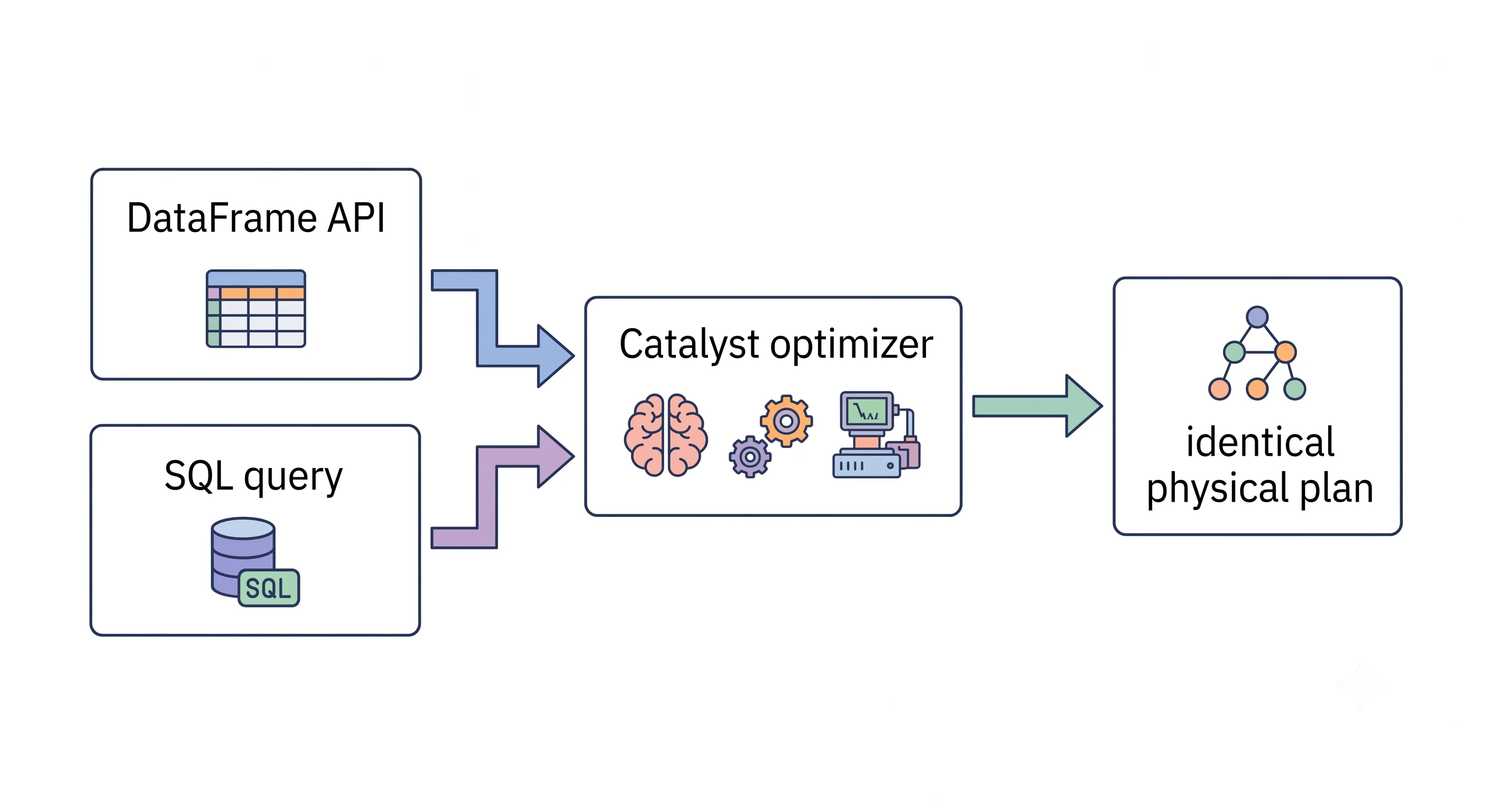
Analogy — bilingual staff. Imagine a company where every employee is fluent in both English and Spanish, and internally they translate everything to the same shared notes. A customer can speak either language and get the identical service and the same result. Spark is that company: speak DataFrame or speak SQL, and Catalyst translates both into the same internal plan. Neither language is "the real one" — they're equal front doors.
Registering a temporary view
A DataFrame isn't automatically visible to SQL — you have to register it under a name first. The most common way is createOrReplaceTempView:
# Assume df is a flights DataFrame from Module 09/10.
df.createOrReplaceTempView("flights")

# Now query it with SQL through the SparkSession:
result = spark.sql("""
    SELECT origin, COUNT(*) AS num_flights, AVG(delay) AS avg_delay
    FROM flights
    WHERE delay > 0
    GROUP BY origin
    ORDER BY num_flights DESC
    LIMIT 10
""")

result.show()
A few things to notice:
spark.sql(...)runs a SQL string and returns a DataFrame — so the result is just another DataFrame you can chain more operations onto, or register again. SQL and DataFrame code interleave seamlessly.createOrReplaceTempViewcreates the view if it's new, or silently replaces it if the name already exists — convenient for re-running notebook cells without "view already exists" errors.- The view is temporary: it lives only for the life of this
SparkSessionand vanishes when the session ends. It's a name for a query plan, not a stored copy of the data.
Important — a view is not a table of data. Registering a view stores no data; it just labels the DataFrame's lazy plan (Module 06). Querying the view runs that plan on demand. Nothing is materialized until an action fires.
The star demonstration: SQL and DataFrame are the same
Here is the claim we've been building toward since Module 04, shown concretely. These two queries express the identical logic — one in the DataFrame API, one in SQL:
from pyspark.sql.functions import col, desc, sum as _sum

# --- The DataFrame way ---
df_way = (df
          .groupBy("destination")
          .agg(_sum("delay").alias("total_delay"))
          .orderBy(desc("total_delay"))
          .limit(5))

# --- The SQL way ---
df.createOrReplaceTempView("flights")
sql_way = spark.sql("""
    SELECT destination, SUM(delay) AS total_delay
    FROM flights
    GROUP BY destination
    ORDER BY total_delay DESC
    LIMIT 5
""")

df_way.show()
sql_way.show()
They return the same rows — but the deeper point is how they run. Recall from Module 08 that all structured APIs enter the same Catalyst pipeline. You can prove the two paths are equivalent by comparing their plans:
df_way.explain()
sql_way.explain()
# The physical plans are effectively identical — Catalyst compiled both to the same execution.
There is no performance difference between them. Choosing SQL vs. DataFrame is purely a matter of readability and team preference, never speed. Use whichever makes a given piece of logic clearest — and freely switch mid-pipeline, since spark.sql() returns a DataFrame and any DataFrame can become a view.
Kinds of views: temporary vs. global temporary
There are two flavors of temporary view, and the difference is scope — who can see them.
createOrReplaceTempView("name")— a session-scoped view. Visible only within theSparkSessionthat created it. This is what you'll use most of the time.createOrReplaceGlobalTempView("name")— a global temporary view, shared across all sessions in the same Spark application, and stored in a special database calledglobal_temp. To query it you must qualify the name:
df.createOrReplaceGlobalTempView("flights_global")

# Must reference it via the global_temp database:
spark.sql("SELECT * FROM global_temp.flights_global LIMIT 5").show()
For most day-to-day work — a single notebook or script — the plain session-scoped createOrReplaceTempView is what you want. Reach for global temp views only when multiple sessions in one application need to share a view, which is comparatively rare.
| View type | Method | Scope | How to reference |
|---|---|---|---|
| Temporary | createOrReplaceTempView |
Current SparkSession only | SELECT * FROM name |
| Global temporary | createOrReplaceGlobalTempView |
All sessions in the application | SELECT * FROM global_temp.name |
Browsing metadata: the Catalog
Back in Module 08, Catalyst's Analysis phase consulted the Catalog to resolve table and column names. You can query that same Catalog yourself through spark.catalog — handy for discovering what's registered:
spark.catalog.listTables()                 # all tables/views known to this session
spark.catalog.listColumns("flights")       # columns (and types) of a registered view
spark.catalog.dropTempView("flights")      # remove a temp view when you're done
The Catalog is Spark's metadata registry — the "table of contents" for everything queryable. It's the same source of truth the optimizer uses, which is why an unresolved name (a typo) fails at analysis time: the Catalog has no entry for it.
When to reach for SQL
Since the two APIs are equivalent in performance, the choice is stylistic. In practice:
- SQL shines for declarative, set-oriented logic — multi-table joins, group-by aggregations, window functions, and anything your team would naturally whiteboard as a SQL query. It's also the friendliest bridge for analysts.
- The DataFrame API shines for programmatic construction — building queries dynamically in a loop, parameterizing column lists, or embedding logic in a larger Python program where string-building SQL would be clumsy.
A very common and healthy pattern is to mix them: read and heavily transform with the DataFrame API, register the result as a view, run a clear analytical SQL query over it, then take that DataFrame result and keep going programmatically. Because everything is a DataFrame and everything compiles through Catalyst, this back-and-forth costs nothing.
Bottom line: don't agonize over SQL vs. DataFrame. Pick whichever makes this step readable, and switch whenever the other reads better. The engine treats them identically.
Key takeaways
- Register a DataFrame with
createOrReplaceTempView("name"), then query it viaspark.sql("..."), which returns a DataFrame — so SQL and DataFrame code interleave freely. - A temporary view stores no data — it's a named handle to a lazy plan, materialized only when an action runs, and it disappears when the session ends.
- SQL and the DataFrame API compile to the identical Catalyst plan (verify with
explain()), so there is no performance difference — the choice is purely readability/preference. - Two view scopes:
createOrReplaceTempView(session-only, the usual choice) andcreateOrReplaceGlobalTempView(shared across sessions, referenced viaglobal_temp.name). - Browse registered tables/views and columns through
spark.catalog— the same metadata registry Catalyst uses to resolve names. - The idiomatic style is to mix SQL and DataFrame code, using whichever is clearest for each step.
Check your understanding
- You register a view with
createOrReplaceTempViewand worry it duplicates your data in memory. Is that concern justified? Explain what a temporary view actually stores. - A colleague insists the DataFrame API "must be faster than SQL because it's real code." How would you demonstrate they're mistaken?
- When would you choose a global temporary view over a regular temporary view?
Up next
UDFs & Pandas UDFs — UDFs & Pandas UDFs. Built-in SQL and DataFrame functions cover most needs — but sometimes you need custom Python logic. Next we write User-Defined Functions, expose the hidden JVM↔Python serialization tax they carry, and learn how vectorized Pandas UDFs (Apache Arrow) largely erase it.