
1. What and Why
One sentence: Azure AI Foundry is a regional Azure resource, and a portal and SDK over it, that hosts model deployments, agents, connections, and evaluations — giving generative AI work a place to live inside your subscription with Azure's identity, networking, and governance already attached.
The problem it kills
Calling a large language model is four lines of code. That is the trap. The four lines work on a Tuesday afternoon and then the questions start, and none of them are about the model:
Where does the key live? Who is allowed to use it? How do we stop one team's runaway loop from throttling the other three? Which model version are we on, and what happens when it is deprecated? When someone asks "what did the model say to that customer", where do we look? How do we attach the company's documents without writing our own retrieval loop? How do we know the new prompt is better than the old prompt rather than differently bad? And — the one that stops the project dead — how does this pass network review when the endpoint is on the public internet?
Before a platform like this, every one of those was a bespoke build: a key in Key Vault, a homemade proxy for rate limiting, a spreadsheet of model versions, a logging middleware, a hand-rolled RAG pipeline, an evaluation notebook someone runs by hand, and an argument with the network team.
Think of Foundry as the difference between a power tool and a workshop. A model API is the tool: it does one thing well and it does not care what you build. A workshop has the tool bolted to a bench, a power supply that is fused, an extractor, a lockable door, and a place to put the offcuts. Nothing in the workshop makes the tool cut better. Everything in the workshop is what lets more than one person use it, more than once, safely.
Two consequences matter more than the convenience, and they are what people underrate:
The deployment name becomes the interface. You do not call gpt-4.1; you call your deployment of
gpt-4.1, under a name you chose. Model, version, capacity, and deployment type all sit behind that
name and can change without touching the caller. This is the single most valuable indirection on the
platform and it is free — which is exactly why teams throw it away by naming deployments after models.
Governance stops being an application concern. Who may call the model is a role assignment. Whether it is reachable from the internet is a network property of the resource. What was said is a diagnostic setting. None of that is code you own, which means none of it is code you can forget to write.
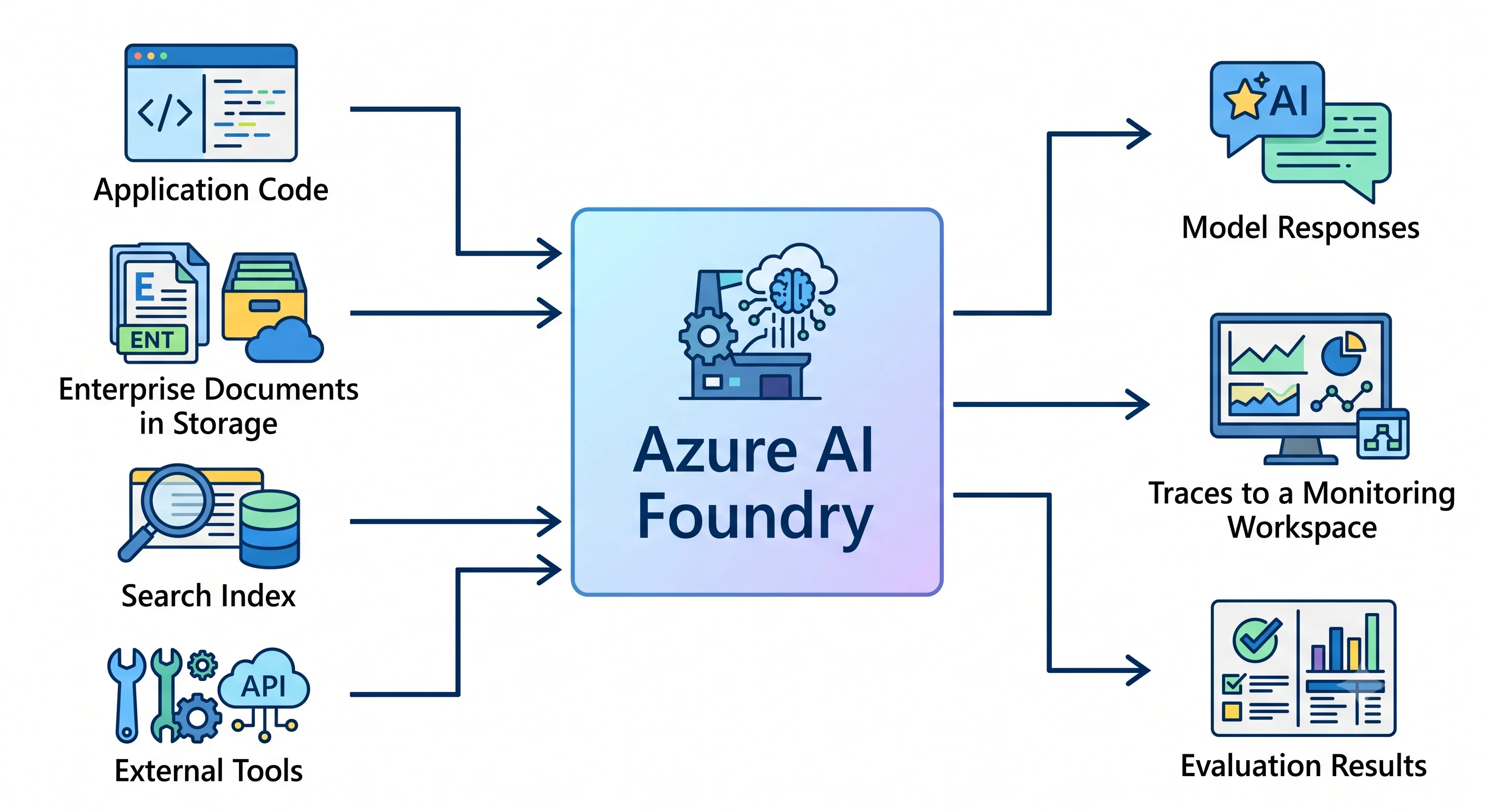
The four names, once, so nothing later confuses you
Azure renames things faster than the ecosystem can follow, and this service has been renamed more than most. In order:
| Was | Is now | When |
|---|---|---|
| Azure AI Studio | Azure AI Foundry | 2024 |
| Azure AI Foundry | Microsoft Foundry | Announced at Ignite, 18 November 2025 |
| Cognitive Services → Azure AI Services | Foundry Tools | Ignite 2025 |
| Azure OpenAI Service | Azure OpenAI in Foundry Models | Ignite 2025 |
Azure AI User, Azure AI Project Manager, Azure AI Account Owner (RBAC roles) |
Foundry User, Foundry Project Manager, Foundry Account Owner |
Rolling out; both names visible in places |
Dropping "Azure" from the name was deliberate — Microsoft positions Foundry as a pillar alongside
Microsoft 365 and Fabric rather than as one more entry in the Azure catalogue. What did not change is
the resource provider: it is still Microsoft.CognitiveServices, which is why the CLI command is still
az cognitiveservices account and the Terraform resource is still azurerm_cognitive_account. When the
marketing name and the API name disagree, believe the API name.
⚠️ Verify the current portal branding and role names against current Azure docs — this rename was still rolling out at the time of writing.
The two architectures, and why old tutorials do not match your portal
This is the fork in the road for the whole topic.
Foundry (new) — the default for anything you start today. One resource of type
Microsoft.CognitiveServices/accounts with kind = AIServices and project management enabled. Projects
are child resources of that account. There is no mandatory storage account and no mandatory Key Vault.
Everything shares one RBAC surface, one endpoint host, and one networking configuration. New agent and
model capability is being built here.
Hub-based (classic) — the Azure Machine Learning lineage. An AI Hub of type
Microsoft.MachineLearningServices/workspaces with kind = Hub, and projects beneath it as
kind = Project. The hub requires a storage account and a Key Vault as siblings, and optionally a
container registry and an Application Insights resource. It brings the AML surface with it: managed
compute, prompt flow, AML managed networking. Its RBAC model, network stack, and policy surface are
entirely separate from the new one.
Practically: if a tutorial has you create a storage account and a Key Vault before you can create
anything AI-shaped, it is hub-shaped and probably from 2024 or early 2025. If the Terraform resource is
azurerm_ai_foundry / azurerm_ai_foundry_project, that is the hub — the new Foundry account is
azurerm_cognitive_account with kind = "AIServices", and its projects, at the time of writing, are
most reliably created with the azapi provider or the CLI.
⚠️ Verify current azurerm coverage for Foundry projects before assuming you need azapi.
Choose hub-based only when you specifically need the AML surface — managed compute instances, prompt flow, or an existing AML governance investment. Otherwise, new work goes on Foundry projects.
What you own, and what Azure owns
| Layer | Who owns it |
|---|---|
| The model weights, the serving fleet, the GPUs | Azure |
| Model versions offered, deprecation dates, regional availability | Azure (you get notice, and a choice of upgrade policy) |
| Capacity allocation (your TPM / PTU quota) | Azure grants it; you allocate it across deployments |
| Which models are deployed, under what names, at what capacity | You |
| Content filter configuration and any additional guardrails | You (a default filter is applied; changing it is yours) |
| Prompts, system instructions, tool definitions, agent design | You |
| Retrieval data, indexes, and their freshness | You |
| Who may call it, and from where | You |
| Evaluating whether any of it is any good | You, always |
The line is drawn much higher than with a VM, and higher than with Azure ML. What remains on your side is everything that determines whether the application is correct — which is a useful reminder that the platform reduces plumbing, not responsibility.
Where it sits, in one line each
- vs. Azure Machine Learning — AML is for building and training models; Foundry is for consuming and
orchestrating them. If your artefact is a
.pklor a training run, that is AML. - vs. Foundry Tools (Speech, Vision, Document Intelligence, Language) — these are prebuilt task APIs
and they are now inside Foundry: a
kind = AIServicesresource exposes them on the same endpoint. Use a task API when the task is well-defined; use a model when it is not. - vs. a bare Azure OpenAI (
kind = OpenAI) resource — still supported, still fine for a single-purpose model endpoint.AIServicesis the superset; create that unless you have a reason. - vs. Copilot Studio — Copilot Studio agents live in the Microsoft 365 tenant and are aimed at business makers. Foundry agents are components of your application, in your VNet, in your pipeline.
- vs. Azure AI Search — complementary, not alternative. Search is the retrieval half of RAG and is attached to Foundry as a connection.
The AWS analogue, and exactly where it breaks
Amazon Bedrock, plus a slice of SageMaker Studio. The core idea transfers: many models from many providers behind one governed, IAM-controlled surface in your own account, with guardrails and observability attached.
Three things break, and they break in the direction of "Azure has more objects":
- Bedrock has no deployment object. You call a model ID. In Foundry you create a named deployment with a type and a capacity, and you call that. More ceremony, but it is what makes model swaps, capacity control, and per-workload isolation possible without touching code. Bedrock's provisioned throughput is the nearest thing, and it is an add-on rather than the default shape.
- Bedrock has no project. Foundry's project is a real sub-resource with its own endpoint, its own role assignments, and its own connections — the unit teams are granted access to. There is no clean Bedrock equivalent; you would reach for separate accounts.
- Quota feels different. Bedrock quotas are per-account-per-region and mostly invisible until you hit them. Foundry makes you allocate your regional TPM pool across deployments by hand, which means you can starve your own production deployment by over-provisioning a dev one in the same subscription and region. That is a design decision you must make; in AWS it is usually a support ticket you file.
One more, less structural but more painful in practice: regional model availability varies more than you expect, and it varies by deployment type as well as by model. Assuming "it is in East US, so it is in West Europe" will cost you a design.
When NOT to use it — the honest list
- You are training models. Use Azure Machine Learning. Foundry fine-tuning exists, but the platform is not built around the training loop.
- A throwaway prototype. A bare model resource, or a hosted API, is fewer moving parts. Adopt Foundry when the thing acquires a second user or a compliance question.
- The problem is not a language problem. Classification with clean features, arithmetic, lookups, routing rules — a model is the most expensive and least predictable way to do these.
- You need single-digit-millisecond inference. A network call to a shared multi-tenant endpoint is not that. Host a small model yourself.
- Your region does not have the model. Cross-region calls add latency and can create a data
residency problem; a
GlobalStandarddeployment may solve the availability problem and create the residency one. Decide which constraint is real before you design. - You cannot tolerate model deprecation. Models retire on Azure's schedule, not yours. If you need a frozen model for years, that is a self-hosted open-weights conversation.
- Everything in one project. Not a "don't use Foundry" so much as a "don't use it like that": one project with every team's deployments, connections, and agents shares one RBAC boundary, one quota conversation, and one blast radius. Split by team or by workload early — it is far more painful later.
What you pay for, briefly
Three meters, and the second one is where the surprises come from:
- Tokens, for standard deployments — input and output priced separately, with a discount for cached input. No traffic, no bill.
- PTU-hours, for provisioned deployments — charged whether or not you send a single request, from the moment the deployment exists. Reservations reduce the rate and increase the commitment. This is the Foundry equivalent of the idle App Service Plan, and it catches people the same way.
- The dependencies, which are easy to forget because you created them from inside the Foundry experience: an Azure AI Search index, a Cosmos DB account holding agent threads, a storage account holding files, and Application Insights ingesting traces. On a small agent workload these can exceed the token bill.
⚠️ All pricing shapes above are conceptual — verify current rates and free grants against current Azure docs. The full treatment is in Production; the point here is that a Foundry bill has at least three meters and one of them does not stop when the traffic does.
Next: Core Concepts →