
7. Production
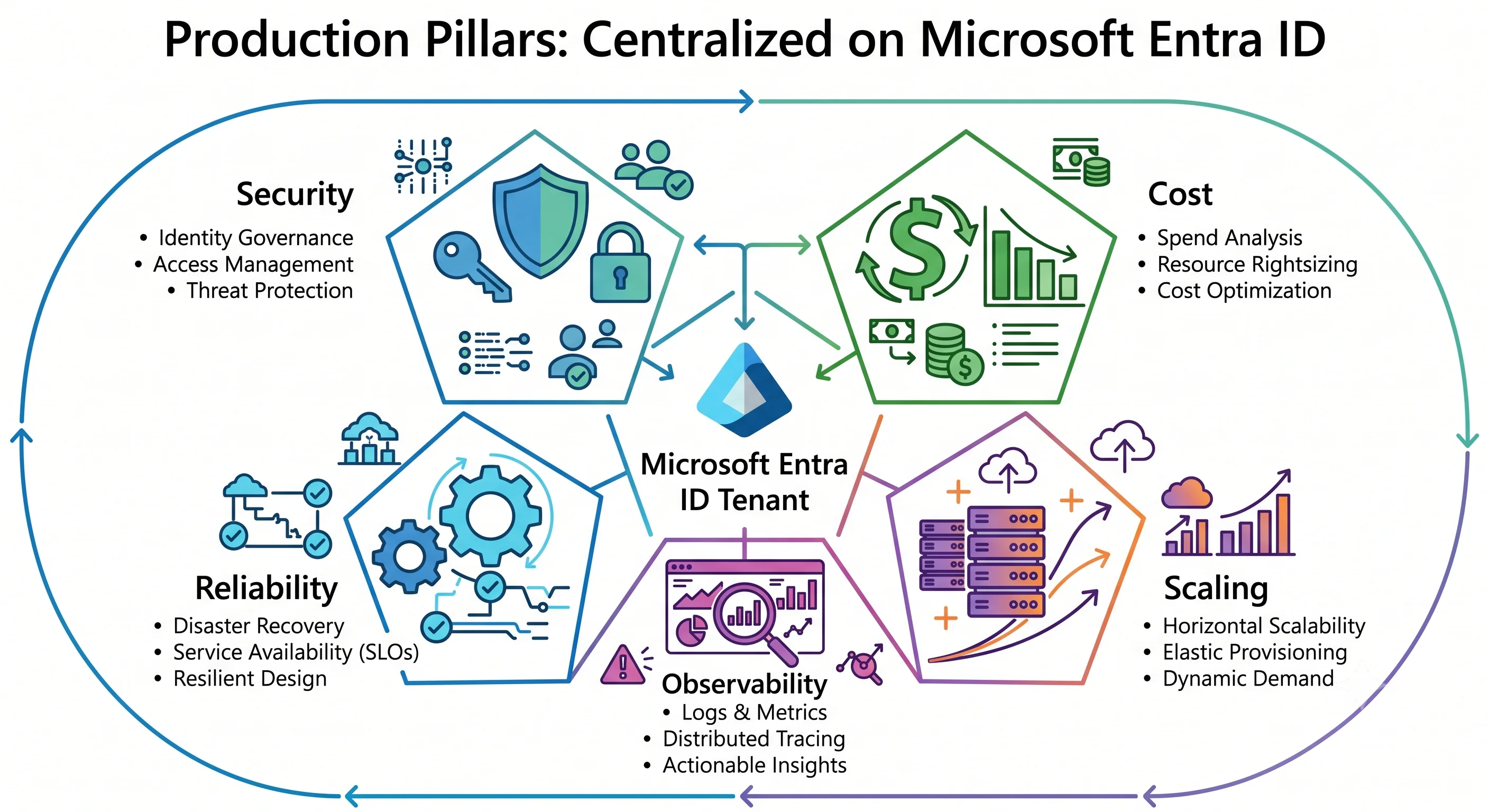
Five pillars, as everywhere in this article — but weighted differently, because Entra ID has no instance to size and no region to choose. Security is most of the work, cost is entirely a licensing question, and "reliability" mostly means not locking yourself out.
Day one — the settings a new tenant gets wrong
Before anything else. A brand-new tenant ships permissive by default, and each of these is a config change that costs nothing.
| Setting | Default | Change it to | Why |
|---|---|---|---|
| User consent for applications | Users may consent to many permissions themselves | Restrict to a verified-publisher, low-impact subset, or disable entirely | Closes the illicit consent grant attack: a phishing link to a genuine Microsoft consent page, granting an attacker app Mail.Read without ever touching a password or MFA |
| Admin consent workflow | Off | On, routed to a reviewing group | Gives users a path that isn't "ask them to just click yes" |
| Users can register applications | Yes | No — grant Application Developer to those who need it | Otherwise anyone can create a credentialed identity in your directory |
| Users can create security groups / M365 groups | Yes | Restrict | Group sprawl becomes an access-review problem later |
| Guest invite settings | Any member can invite | Restrict to admins or a designated role | Uncontrolled B2B is uncontrolled external access |
| Guest access level | Guests can read some directory objects | Most restrictive level compatible with your collaboration needs | Guests enumerating your directory is reconnaissance |
| Legacy authentication | Allowed | Blocked by Conditional Access | Legacy protocols can't do MFA. Password spray works here and nowhere else |
| Security defaults / Conditional Access | Security defaults on for new tenants | Either keep them, or replace deliberately with CA policies | The dangerous state is neither: disabling security defaults to build CA and then not finishing |
| Diagnostic settings | Off | Route sign-in and audit logs to Log Analytics | No logs, no investigation. See Observability below |
| Break-glass accounts | None | Two, excluded from all CA, alerted on use | The only recovery path from a bad policy |
⚠️ Verify current default values against current Microsoft docs — Microsoft has been tightening several of these defaults, and a tenant's behaviour depends on when it was created.
Security
Privileged access
The rule: as few permanent Global Administrators as possible. Microsoft's guidance is fewer than five, and the honest target in most organisations is two break-glass accounts plus zero permanent humans.
- Use the least-privileged role that works. Global Administrator is almost never the right answer. User Administrator, Application Administrator, Cloud Device Administrator, Security Reader, and Helpdesk Administrator cover most real needs. A directory role that can manage credentials on applications (Application Administrator, Cloud Application Administrator) is effectively a path to Global Administrator if any privileged app exists — treat it as privileged even though its name sounds tame.
- PIM for everything privileged (P2). Make assignments eligible rather than active, with activation requiring MFA, justification, a time limit, and — for the highest roles — approval. The audit trail this produces is the difference between "who is an admin" and "who was an admin at 03:14 on Tuesday".
- Administrative units to scope helpdesk-style roles to a region or business unit, so a password-reset role isn't tenant-wide.
- Restricted management administrative units to protect a set of sensitive objects — including the break-glass accounts — from admins who would otherwise have authority over them ⚠️ verify current licensing requirements.
- Separate admin accounts from daily-driver accounts, and require phishing-resistant MFA and a compliant device for the admin ones.
- Watch the elevation toggle. A Global Administrator can grant themselves User Access Administrator at the root management group. Alert on it.
Conditional Access baseline
A defensible starting set — each one deployed in report-only first:
- Block legacy authentication, all users, all apps. Nothing modern needs it.
- Require MFA for all users, with break-glass excluded.
- Require phishing-resistant MFA for privileged roles accessing the admin portals, via an authentication strength.
- Require a compliant or hybrid-joined device for access to sensitive applications.
- Block or restrict access from unexpected countries, using named locations — a blunt control with a good signal-to-noise ratio.
- Require MFA to register security information, closing the gap where an attacker with a stolen password enrols their own MFA method.
- Risk-based policies (P2): require password change on high user risk, require MFA on high sign-in risk.
- Sign-in frequency and persistent-browser limits for privileged sessions.
Two operational rules that matter more than the list: every new policy starts in report-only, and break-glass accounts are excluded from every single one. Both exist because tenant lockout is a real, regular incident with no self-service recovery.
Application and workload identity security
Workload identities are the blind spot. Nobody offboards a service principal.
- No client secrets. Managed identity inside Azure, workload identity federation outside. Where a secret is genuinely unavoidable, give it a short expiry, store it in Key Vault, and rotate it on a schedule you have tested.
- Audit expiring and long-lived credentials. A secret expiring at 2 a.m. on a Sunday is an outage; a ten-year certificate is a liability.
- Prefer
Application.ReadWrite.OwnedByover.Allfor automation, and application permissions over delegated ones only when a user genuinely isn't involved — remembering that application permissions have no user-rights ceiling. - Review consented permissions regularly.
Mail.ReadWrite,Directory.ReadWrite.All,Application.ReadWrite.All,RoleManagement.ReadWrite.Directory, andAppRoleAssignment.ReadWrite.Allare effectively tenant-takeover permissions. The last two especially: an app that can assign itself roles is a Global Administrator with extra steps. - Set
app_role_assignment_required = trueso authenticating isn't the same as being authorised. - Own every application. Ownerless registrations accumulate and nobody can safely delete them.
- Conditional Access for workload identities (Workload ID add-on) — restrict a service principal to expected source IPs. Rare, and very effective for high-value automation.
Data and privacy
- Directory data residency is fixed at tenant creation ⚠️ verify current options.
- Sign-in logs contain IP addresses and device details — personal data in most jurisdictions. Retention in Log Analytics is a privacy decision as well as a cost one.
- Guest identities remain in your directory after a project ends. Access reviews with automatic removal are how that stops being true.
Cost
Entra ID has no per-request bill. The cost model is per user per month, and the cost failures are licensing failures, not efficiency ones.
What you pay for:
| Item | Billing unit |
|---|---|
| Entra ID P1 / P2 | Per user per month |
| Entra ID Governance, Workload ID | Per user per month, add-on |
| External ID | Per monthly active user |
| Entra Domain Services | Per hour of the managed domain (a real Azure resource) |
| Sign-in / audit log retention in Log Analytics | Per GB ingested and per GB retained |
| Entra ID Free | Nothing |
The three cost traps, in order of how often they bite:
- Licence scope creep. A Conditional Access policy targeting "All users" requires P1 for every user in scope. Nothing enforces it at configuration time; you discover it at audit. Scope policies to groups you have deliberately licensed, or license everyone and know that you have.
- Log Analytics ingestion.
SignInLogsand especiallyNonInteractiveUserSignInLogsare very high volume in a large tenant — non-interactive sign-ins can be an order of magnitude more than interactive ones. Enabling every category at full retention is a genuinely large monthly bill. Send what you'll investigate to the workspace, archive the rest to storage, and look at a commitment tier once ingestion is predictable. - Unused premium licences. Assigned to leavers, to service accounts, or to guests who completed a project two years ago. Reconcile assigned licences against active users quarterly.
Optimisations that actually work: group-based licensing (so licences follow membership rather than being assigned by hand), access reviews that remove stale guests, archiving verbose log categories to a storage account rather than a workspace, and — the boring one — deciding your tier before designing, so you're not retrofitting a P2 feature into a P1 budget.
What keeps billing when idle: licences. A user who never signs in costs exactly the same as one who signs in hourly. Unlike almost every other Azure service, there is no scale-to-zero here.
Scaling and limits
You don't scale Entra ID; you avoid hitting its edges. What matters is knowing which scope each limit is counted at, because a number without a scope is useless.
| Limit | Scope | Notes |
|---|---|---|
| Objects in the directory | Per tenant | Default in the hundreds of thousands; raisable via support ⚠️ verify |
| Objects created by a single non-admin user | Per user | Small; this is the control that stops a compromised account filling the directory ⚠️ verify |
| Groups a user can be a member of | Per user | Large but finite ⚠️ verify |
| Members in a dynamic group | Per group | Very large; rule evaluation is asynchronous and can lag ⚠️ verify |
| App role assignments | Per service principal | Matters for large SSO deployments ⚠️ verify |
| Owners per application or group | Per object | Small — a handful ⚠️ verify |
| Custom directory roles | Per tenant | Requires P1 ⚠️ verify |
| Conditional Access policies | Per tenant | A low-hundreds cap; policy sprawl is a real design problem ⚠️ verify |
| Microsoft Graph request budget | Per app, per tenant, per resource type | The one you'll actually hit. 429 + Retry-After |
| Group claims in a token | Per token | ~150 (SAML) / ~200 (JWT) before an overage claim replaces them ⚠️ verify |
Two of those cause real production incidents rather than paperwork:
Graph throttling. Covered in Architecture. The fix is always the same:
honour Retry-After, use $select/$filter, use delta queries instead of full enumeration, and
stop polling. Most throttled tenants have one script in them doing a full user dump every five
minutes.
The group overage claim. Applications authorising on the groups claim work for everyone until
they meet a user in 300 groups, at which point the claim is replaced by a pointer the application
must dereference against Graph. It fails for exactly the senior people who complain loudest. Design
around it by authorising on app roles, or by configuring the application to emit only groups
assigned to it.
Dynamic group latency deserves a mention: membership rules are evaluated asynchronously, and in a large tenant a new user may not land in their groups instantly. Provisioning flows that create a user and immediately expect group-derived access need to tolerate that, exactly like the directory replication lag they'll also meet.
Observability
Nothing useful is retained by default. This is the single most consequential operational fact on the page. The portal keeps a limited window of sign-in history ⚠️ verify current default retention — and a security investigation three months later needs more.
Turn the logs on
az monitor diagnostic-settings create \
  --name entra-to-law \
  --resource "/providers/Microsoft.AadIam/diagnosticSettings" \
  --workspace "$LAW_ID" \
  --logs '[
    {"category":"SignInLogs","enabled":true},
    {"category":"AuditLogs","enabled":true},
    {"category":"NonInteractiveUserSignInLogs","enabled":true},
    {"category":"ServicePrincipalSignInLogs","enabled":true},
    {"category":"ManagedIdentitySignInLogs","enabled":true},
    {"category":"RiskyUsers","enabled":true},
    {"category":"UserRiskEvents","enabled":true}
  ]'
⚠️ Verify the current resource path and category list against current Azure docs; the tenant diagnostic-settings surface differs from an ordinary resource's and has changed.
Categories, and what each is for:
| Category | Answers |
|---|---|
SignInLogs |
Interactive user sign-ins — who signed in, from where, which policy applied |
NonInteractiveUserSignInLogs |
Token refreshes and background client activity. Highest volume by far |
ServicePrincipalSignInLogs |
Application and daemon authentication — the workload-identity blind spot |
ManagedIdentitySignInLogs |
Which resources are actually using their identities |
AuditLogs |
Every directory write: role assignments, consent grants, credential changes |
RiskyUsers / UserRiskEvents / RiskyServicePrincipals |
Identity Protection detections (P2) |
ProvisioningLogs |
SCIM provisioning to and from SaaS applications |
The queries worth having
Why did this sign-in fail, and did a policy do it?
SigninLogs
| where TimeGenerated > ago(1h)
| where UserPrincipalName == "alice@contoso.com"
| project TimeGenerated, AppDisplayName, ResultType, ResultDescription,
          IPAddress, DeviceDetail, ConditionalAccessStatus,
          Policies = ConditionalAccessPolicies
| order by TimeGenerated desc
ResultType is the AADSTS code without its prefix — 50076 is "MFA required by policy",
53003 is "blocked by Conditional Access", 50126 is "wrong password". The
ConditionalAccessPolicies field lists every policy evaluated and its result, which is the
fastest answer to "why".
Who consented to what? — the query that catches an illicit consent grant:
AuditLogs
| where TimeGenerated > ago(7d)
| where OperationName has "Consent to application"
| extend actor = tostring(InitiatedBy.user.userPrincipalName)
| extend app   = tostring(TargetResources[0].displayName)
| project TimeGenerated, actor, app, Result, TargetResources
Which application credentials are about to expire?
AuditLogs
| where OperationName has_any ("Update application - Certificates and secrets management",
                              "Add service principal credentials")
| project TimeGenerated, OperationName, InitiatedBy, TargetResources
(For the expiry dates themselves, query Graph rather than the logs — the audit log tells you when a credential was changed, not when it expires.)
Legacy authentication still in use — run this before you block it:
SigninLogs
| where TimeGenerated > ago(30d)
| where ClientAppUsed in ("Exchange ActiveSync", "IMAP4", "POP3", "SMTP",
                         "Other clients", "Authenticated SMTP")
| summarize attempts = count(), apps = make_set(AppDisplayName)
    by UserPrincipalName, ClientAppUsed
| order by attempts desc
Sign-ins by a workload identity — the offboarding blind spot:
AADServicePrincipalSignInLogs
| where TimeGenerated > ago(30d)
| summarize last = max(TimeGenerated), count() by ServicePrincipalName, ResourceDisplayName
| order by last asc     // oldest first: candidates for deletion
Alerts worth having
- Any use of a break-glass account. This should page someone.
- A change to Global Administrator membership, or any role assignment through PIM outside business hours.
- A new consent grant to an application requesting high-privilege permissions.
- A credential added to an existing application registration — a classic persistence technique.
- The "Access management for Azure resources" elevation toggle being used.
- A Conditional Access policy being disabled or deleted.
Every one of those is an AuditLogs query with a scheduled alert rule attached. If you build only
the first two, you have most of the value.
Reliability
There is no availability zone to pick, so reliability here is about your dependencies and your own mistakes.
Choose the sync topology that survives your own datacentre. Password hash synchronisation lets Entra ID authenticate on its own; pass-through authentication and federation put your on-premises infrastructure on the critical path for cloud sign-in. If you run PTA or AD FS, deploy the authentication agents redundantly and monitor them as tier-zero, or move to PHS.
Break-glass accounts, properly. Two of them. Cloud-only, in the .onmicrosoft.com domain so
they don't depend on a custom domain or federation. Long random passwords or FIDO2 keys, split and
stored offline. Excluded from every Conditional Access policy. Excluded from PIM (permanent Global
Administrator, deliberately). Alerted on. And — this is the part people skip — tested on a
schedule, because an untested break-glass account is a story you tell yourself.
Assume a bad Conditional Access policy will happen. Report-only first, change windows, and a documented recovery runbook that does not require the portal to already be accessible.
The backup authentication service. Microsoft operates a secondary authentication path that can serve some token requests when the primary is unhealthy, largely transparently ⚠️ verify current coverage against current Microsoft docs. It reduces impact; it does not make an identity outage a non-event, and you should not design as if it were a failover you control.
There is no backup or restore for a tenant. This is worth saying plainly, because people assume otherwise. Soft delete gives you roughly 30 days for users, groups, and applications ⚠️ verify current retention. Conditional Access policies, tenant settings, and role assignments are not soft-deleted in the same way. The only real "restore" is your Terraform configuration and the audit log, which is the strongest argument on this page for managing the directory as code — and for exporting the tenant's configuration on a schedule even where you don't manage it declaratively.
Recovery drills worth running once a year: sign in with a break-glass account; restore a soft-deleted application; re-apply the Terraform configuration into an empty non-production tenant and see what's missing. The third one is uncomfortable and is the only honest measure of how much of your identity configuration actually exists in source control.
Next: Interview Questions →
← Back to the Microsoft Entra ID overview · ← Previous: Integrations