
7. Production
The difference between "I made it work in the portal" and "I run this at scale". Five pillars, always: security, cost, scaling and limits, observability, reliability.
App Configuration is a small service, so it's tempting to skip this page. Resist. It has one genuine security hole that ships open by default, one cost trap driven entirely by client behaviour, and one failure mode that doesn't hurt you until your next deployment — which is the worst kind.
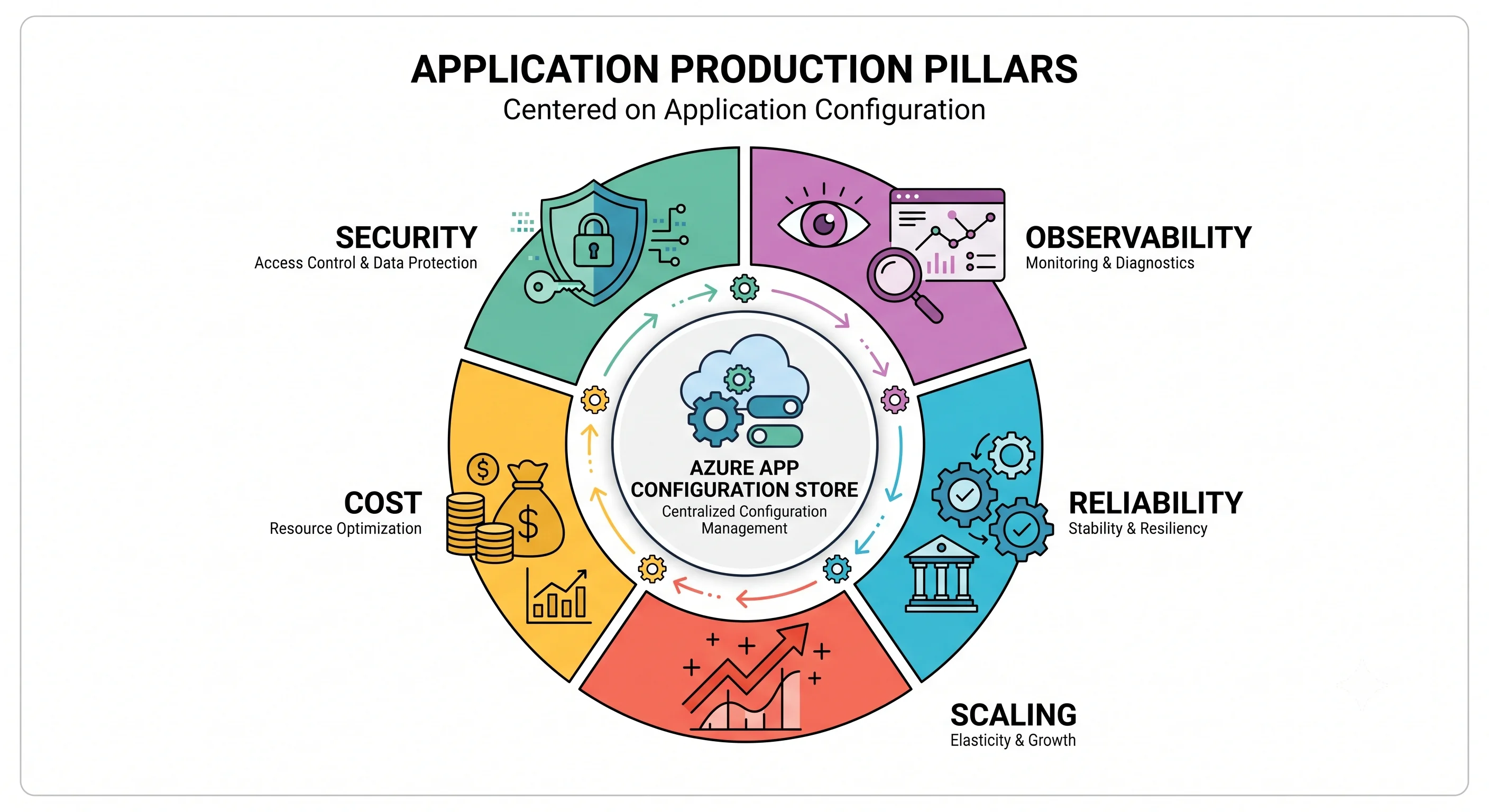
Security
Disable local authentication. This is the one that matters.
Everything else on this page is optimisation. This is a correctness fix.
By default the store issues access keys — primary and secondary, read-write and read-only —
usable as connection strings to sign data-plane requests with HMAC. Listing those keys is a
control-plane action (.../configurationStores/ListKeys/action), and it is included in
Contributor and in App Configuration Contributor. So anyone with Contributor on the resource
group can list the keys and then read and write every key-value, entirely outside the data-plane RBAC
model. The plane separation described in Architecture is real for Entra-based
access and completely bypassed by key-based access.
az appconfig update -n "$STORE" -g "$RG" --disable-local-auth truelocal_auth_enabled = falseThen enforce it with policy, because one store you fixed is not a posture:
# Deny creation or update of any store with local auth enabled, subscription-wide.
# Use the built-in policy definition where one exists; otherwise a custom definition
# on Microsoft.AppConfiguration/configurationStores field 'disableLocalAuth'.
# ⚠️ Verify the current built-in policy names — Microsoft adds and renames these.
az policy assignment create \
  --name deny-appconfig-local-auth \
  --scope "/subscriptions/$SUB" \
  --policy "<policy-definition-id>"
What breaks when you do it: anything using a connection string. Which is exactly the point — the migration is to managed identity plus a data-plane role, and it's a small one. Do it before you have forty consumers, not after.
Least privilege, and where the built-in roles are too broad
| Role | Plane | Grants | Use it for |
|---|---|---|---|
| App Configuration Data Reader | Data | Read key-values, feature flags, snapshots, revisions | Every application. This is the default answer |
| App Configuration Data Owner | Data | Read and write everything on the data plane | The configuration pipeline, and platform engineers |
| App Configuration Contributor | Control | Manage the resource, including ListKeys |
Infrastructure pipeline only — and note it grants no data access once local auth is disabled |
| Reader | Control | See the resource, its tier and network config | Auditors and dashboards |
| Contributor / Owner | Control | Everything on the resource, including ListKeys |
Nobody, at store scope, if you can avoid it |
Where the built-ins are too broad: App Configuration Data Owner is read-write over the entire
store — every label, every environment if you share a store, every flag. There is no built-in
read-write-but-only-under-this-label role. Two mitigations:
- Store per environment, so store-scope roles are environment-scoped roles by construction. This is why Deployment recommends it, and it's the answer that actually works today.
- A custom role, if you need finer grain than that. Data-plane actions for this service are expressed as data actions, and what's scopeable has been improving — ⚠️ verify what key- and label-level conditions the current RBAC implementation supports before designing around it. The safe planning assumption remains store-level.
A custom role worth having regardless — flag-flipper, for on-call engineers who should be able to
throw a kill switch but not rewrite endpoints. If key/label-scoped data actions aren't available to
you, the practical approximation is a small automation (a Function or a pipeline with a
workflow_dispatch input) holding Data Owner and exposing only "toggle flag X", with the humans
holding permission to run the automation rather than to write to the store.
Secrets, encryption, and the network
- Never put a secret in a key-value. Use a Key Vault reference — the mechanics and the two role assignments it needs are in Integrations. Worth adding here: a secret pasted into a key-value enters the revision history, and revisions are immutable for the retention window. You cannot fully un-leak it by editing the value; you rotate the secret. Treat an accidental secret in App Configuration as a disclosed secret.
- Encryption at rest is platform-managed by default on every tier. Customer-managed keys in Key Vault are available on paid tiers and require the store's managed identity to have wrap/unwrap permission on the key. The operational cost is real: revoke or delete that key and the store becomes inaccessible, which is the intended property and also a self-inflicted-outage risk. Enable CMK because a compliance requirement says so, not because it sounds stronger.
- Encryption in transit is TLS-only; there's no plaintext option. There is a minimum-TLS-version setting worth pinning forward.
- Network isolation: private endpoint on the
configurationStoressub-resource plusprivatelink.azconfig.io, andpublicNetworkAccess: Disabled. There is no service endpoint for this service — the choice is public (optionally IP-filtered) or private. What breaks when you go private, in the order you'll find out, is catalogued in Integrations; the short version is your laptop, the portal's data blades, and hosted CI runners.
The public-exposure gotcha specific to this service
A store with a public endpoint and access keys enabled is a single leaked string away from full
disclosure of your configuration. Connection strings end up in .env files, in Slack, in
screenshots, in a Dockerfile, in a git history. Unlike a managed-identity token they don't expire, and
unlike a storage SAS they're not scoped or time-bounded. Rotating them means touching every consumer.
The order of operations that actually reduces risk: disable local auth first (removes the class of leak entirely), then add network restrictions (defence in depth). Doing only the network half while leaving keys enabled is the worst combination — it gives the impression of a control while the long-lived credential still exists and still works from anywhere inside the network perimeter.
Cost
There is no compute here, and this service will never be the largest line on an Azure bill. It can still be an annoying line, and the annoyance is always the same shape.
What you actually pay for:
| Meter | Shape | Notes |
|---|---|---|
| Store, per day | A flat daily charge per store on paid tiers | Charged per replica. A store with two replicas costs roughly twice a store with one |
| Requests, overage | Per block of requests beyond the tier's included daily allowance | This is the variable line, and it's driven entirely by client behaviour |
| Free tier | No charge, hard daily request cap | When you hit the cap you are throttled for the remainder of the UTC day |
| Keys and values | Nothing | There is no per-key charge. Storage is capped by tier, not metered |
⚠️ Every figure varies by tier and region and changes; verify against current Azure pricing. The durable point is the shape: you pay for the store existing, and for reading it too often.
The biggest cost trap: refresh interval × watched keys × instance count. Work the arithmetic once
and it stays with you. A refresh interval of 5 seconds, watching 20 individually-registered keys,
across 60 instances, is 20 × 60 requests every 5 seconds — around 20 million requests a day. Those
are cheap 304 Not Modified responses and they are still billable requests, and they will blow
through any tier's included allowance. Change three numbers — one sentinel key instead of 20, a
30-second interval instead of 5 — and the same fleet generates about 170,000 requests a day. Same
functionality, two orders of magnitude apart.
So the concrete optimisations, in order of impact:
- Register one sentinel key for refresh, not every key. Biggest single win, and it also fixes torn reads. See Architecture.
- Set the refresh interval in tens of seconds. Ask honestly how fast a config change needs to propagate. It is almost never faster than 30 seconds, and if it genuinely is, build the Event Grid push path in Integrations rather than polling harder.
- Never read on the request path. Read from the cached provider (
IConfiguration), not by constructing a client. A per-request read in a busy API is the fastest route to both overage and429s. - One provider instance per process. A new
ConfigurationClientper operation re-does discovery and re-fetches; in .NET, let the DI container own it. - Don't geo-replicate a single-region workload. Each replica is another daily charge. Add regions because you have consumers or a failover requirement there, not because the box exists.
- Delete abandoned stores. They bill daily whether anything reads them or not.
What keeps billing when idle: the store's daily charge. This is the Azure pattern — more always-on plan-shaped billing than AWS has — but at this service's price point the idle charge is small. The thing that surprises people isn't the idle cost, it's finding they have eleven stores because every project created its own.
Cost attribution. Tag every store with Environment and an owning team, and enforce the tag with
Azure Policy. Without it, "why do we have eleven App Configuration stores" is an archaeology project.
Scaling and limits
There is nothing to scale. No instances, no throughput units, no partition key. Your levers are the tier, the replica count, and — dominantly — client behaviour.
The limits worth knowing, and the scope each is counted at. A number without a scope is useless in Azure:
| Limit | Scope it's counted at | Notes |
|---|---|---|
| Total storage | Per store | Tens of MB on the lower tiers, around 1 GB at the top. ⚠️ verify |
| Size of a single key-value | Per key-value (key + value + label + metadata) | Single-digit kilobytes. Hard limit; the reason this isn't a data store. ⚠️ verify |
| Requests per day (Free) | Per store | A hard cap, then throttled for the rest of the UTC day. ⚠️ verify |
| Included requests (paid) | Per store, and per replica | Overage is charged rather than blocked. ⚠️ verify |
| Request rate / throttling threshold | Per store (and per replica) | Returns 429 with retry-after-ms. ⚠️ verify |
| Free-tier stores | Per subscription, per region | A small number. The quota people hit first. ⚠️ verify |
| Replicas per store | Per store | ⚠️ verify |
| Snapshots and their retention | Per store; snapshot contents count against storage | ⚠️ verify |
| Revision retention | Per store, tier-dependent | Bounds how far back point-in-time restore can go. ⚠️ verify |
| Key and label length | Per key-value | ⚠️ verify |
Hard vs. soft. The per-key-value size cap and the key-name character rules are hard — no support ticket changes them, and a design that needs a 200 KB value needs a different service (put the document in Blob Storage and the URL in App Configuration). Store counts and some request allowances are soft: raise them through the portal's quota experience or a support request. Tier limits aren't raiseable at all — the remedy is the next tier up.
# What am I actually using?
az monitor metrics list --resource "$STORE_ID" \
  --metric DailyStorageUsage --interval PT1H -o table

az monitor metrics list --resource "$STORE_ID" \
  --metric HttpIncomingRequestCount ThrottledHttpRequestCount \
  --interval PT1H -o table
⚠️ Verify current metric names against the store's Metrics blade; the ones above are the long-standing set but Microsoft adds and renames platform metrics.
When you hit the ceiling, the fix is almost never "raise the quota". It's one of: fix the refresh configuration, stop reading on the request path, move off Free, or add a replica so the request load splits across endpoints.
Observability
Diagnostic settings are not on by default, and there is no retroactive fix. Say it on every Azure
page it applies to, because it is the single most common observability gap in the platform. The day
you need to know who changed Api:Timeout last Tuesday, either the setting existed on Tuesday or the
answer does not exist anywhere.
What to turn on
| Category | What it holds | Worth it? |
|---|---|---|
HttpRequest |
Data-plane requests — the caller, the operation, the status code, the key | Yes. This is how you find the client causing your 429s |
Audit |
Data-plane authentication and access events | Yes, and it's the compliance answer to "who read this" |
AllMetrics |
Request count, duration, throttled count, daily storage | Yes — negligible cost, and it's what you alert on |
⚠️ Verify current log category names in the store's Diagnostic settings blade; use categoryGroup: allLogs to be future-proof against additions.
az monitor diagnostic-settings create \
  -n to-law --resource "$STORE_ID" \
  --workspace "$LAW_ID" \
  --logs '[{"categoryGroup":"allLogs","enabled":true}]' \
  --metrics '[{"category":"AllMetrics","enabled":true}]'
Enforce with an Azure Policy deployIfNotExists at the subscription scope, so stores created by other
teams are covered without anyone remembering. Route to the environment's Log Analytics workspace; the
volume is tiny compared with anything else you ingest.
Note the split, because people conflate them: the activity log records control-plane operations (someone changed the tier, someone disabled public access) and is retained by default. The diagnostic logs record data-plane operations (someone read or wrote a key-value) and are retained only if you asked. You need both, and only one arrives for free.
The KQL you'll actually run
"Which client is generating all these requests?" — the most common question about this service, and the answer to almost every overage and throttling investigation:
AppConfigurationHttpRequest
| where TimeGenerated > ago(1d)
| summarize Requests = count() by ClientIpAddress = ClientIPAddress, StatusCode
| order by Requests desc
"Who changed this key, and when?"
AppConfigurationHttpRequest
| where TimeGenerated > ago(7d)
| where Method in ("PUT", "DELETE")
| project TimeGenerated, Method, Uri, StatusCode, Identity = Caller, ClientIPAddress
| order by TimeGenerated desc
"Am I being throttled, and when did it start?"
AppConfigurationHttpRequest
| where TimeGenerated > ago(2d)
| summarize Total = count(), Throttled = countif(StatusCode == 429) by bin(TimeGenerated, 15m)
| extend ThrottledPercent = round(100.0 * Throttled / Total, 2)
| render timechart
⚠️ Table and column names for this service's diagnostic logs vary with the resource-specific vs.
Azure-diagnostics collection mode — verify against your workspace's actual schema (search "azconfig" | getschema) before wiring these into alerts. The questions are the durable part.
What to alert on
Four alerts, and no more:
- Throttled request count > 0, sustained over 15 minutes. The leading indicator of every client misconfiguration. This is the one that earns its keep.
- Daily storage usage above ~80% of the tier cap. Slow-moving and easy to miss until an import fails.
- Request count anomaly — a step change usually means a deployment shipped a bad refresh interval. A dynamic-threshold metric alert handles this well.
- Any
PUTorDELETEon a production label outside pipeline hours, by a non-pipeline identity. A log alert. This is your unauthorised-change detector, and it is also how you learn what your colleagues actually do at 3 a.m.
Resist alerting on request latency here. The store is not on your request path — if it is, that's the problem to fix, not the latency.
Application-side observability matters more than store-side. The store will tell you it served a
200. It will not tell you that your app is running on a two-hour-old cached value because a
background worker never calls TryRefreshAsync. Emit, from the application: the configuration version
or sentinel value it currently holds, the timestamp of its last successful refresh, and a counter of
refresh failures. Then a single Application Insights query answers "are all instances on the current
config?", which is the question you'll actually have during an incident, and which no amount of
store-side telemetry can answer.
Reliability
What the store gives you. Platform replication within the region, and zone redundancy on the higher paid tiers in regions that support zones — meaning a single-datacentre failure is transparent. Free has neither an SLA nor a redundancy commitment. ⚠️ Verify current zone-redundancy behaviour by tier and region, and the current SLA figures.
Geo-replication and what it actually protects. Adding a replica gives you an endpoint in another region and asynchronous replication to it. The client libraries discover replicas and fail over between them, so a regional App Configuration incident becomes a retry rather than a failed startup. The trade-offs: each replica bills as its own store, and cross-replica consistency is eventual, so never write to one region and validate from another. Also note that failover is a client-library feature — a hand-rolled HTTP client gets none of it.
Backup and restore, in three layers. None of these is optional if the configuration matters:
- Git is your real backup. The authoritative copy of every key-value should be a reviewed file in a repository, applied by the configuration pipeline. Treat the store as a projection of your repository, not as the only place the values exist. This is the layer that survives a deleted subscription, and it's the one teams skip.
- Revisions give point-in-time restore within a tier-dependent retention window —
az appconfig kv restore --datetime. Excellent for a bad edit an hour ago; useless for anything older than retention. - Snapshots are immutable, named compositions — the closest thing to a versioned release artifact, and the fastest rollback for "the last release's config".
A scheduled export belongs in your platform regardless:
az appconfig kv export -n "$STORE" --auth-mode login \
  --label prod --destination file --format yaml --path "backup-prod-$(date -u +%F).yaml" --yes
The failure drill. Run it before you need it, in a non-production subscription:
- A bad value ships. Restore from the previous file or revision — then bump the sentinel, or clients keep serving the value you just rolled back. Half of all failed rollbacks on this service are a forgotten sentinel bump.
- The store is unreachable at startup. Kill network access to it and try to deploy. Does the pod crash-loop? Does the app boot on baked-in defaults? Does the log line name the store? Whatever happens is what will happen in production, so decide now whether "boot with stale/default config" or "refuse to boot" is the behaviour you want, and make the code do that deliberately.
- A regional outage. With replicas, confirm the client fails over — and confirm your hand-rolled callers, if any, do not.
- A referenced Key Vault secret is deleted or the role is revoked. Startup fails with a Key Vault error, which is not where you'd look. Know the shape of that failure before it happens.
- The store is accidentally deleted. Practise
az appconfig list-deleted→az appconfig recover. Then confirm the name is still yours, and understand that purge protection means the name is held for the full retention window whether you want it or not.
The reliability point specific to this service, and the one to carry away: a broken App Configuration store does not take down a running application, because the values are cached in memory. It takes down every process that tries to start. So the failure profile is: nothing happens for hours, and then your next deployment, your next autoscale event, or your next pod restart fails, apparently unrelated to a config store nobody has thought about since Tuesday. That delayed coupling is why this store's availability posture must match the most critical thing that reads it — not the average, and certainly not "it's only configuration".
Next: Interview Questions →
← Back to the Azure App Configuration overview · ← Previous: Integrations